
If you are building a gaming PC or upgrading your current setup, you’ve probably asked this question:
How much bottleneck is acceptable for gaming?
The short answer is: some bottleneck is normal, but too much can ruin your gaming experience.
In this guide, we’ll break everything down in simple terms no technical confusion so you know exactly what level of bottleneck is safe and when you should worry.
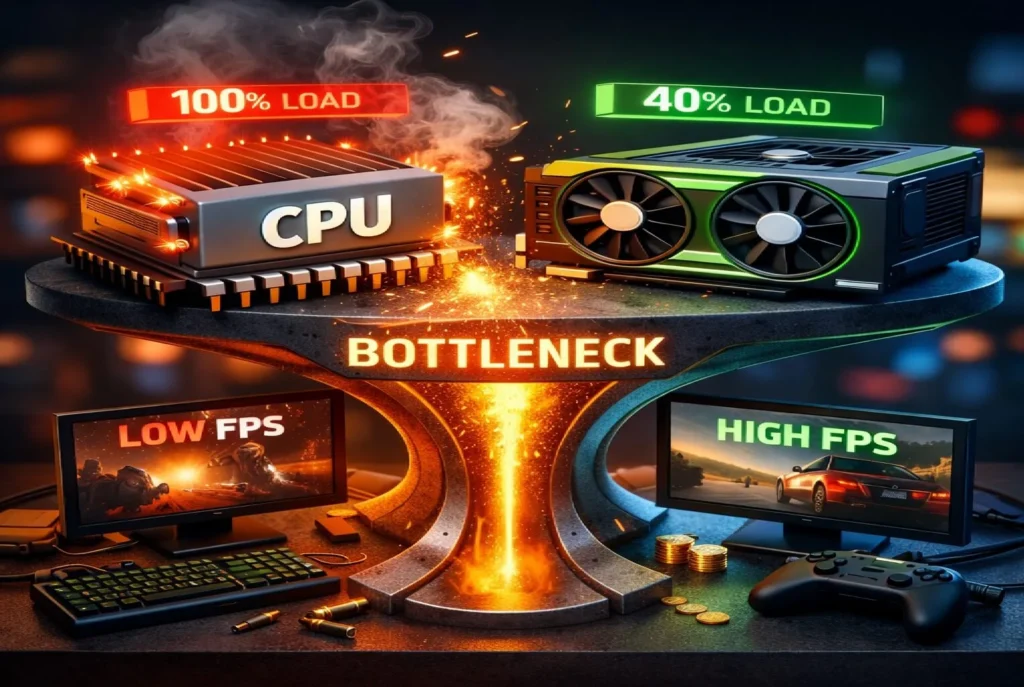
Table of Contents
What Does Bottleneck Mean in Gaming?
A bottleneck occurs when one component in your PC limits the performance of the others.
In gaming, this usually happens between the CPU and GPU.
For example:
- You pair an RTX 4070 with an older i5 CPU
- The GPU is powerful, but the CPU can’t keep up
- Result: lower FPS, stuttering, and wasted GPU power
This performance gap is what we call a bottleneck.
How Much Bottleneck Is Actually Acceptable for Gaming?
Let’s talk real numbers because this is what gamers care about.
✅ 0%–5% Bottleneck (Perfect Balance)
This is the ideal scenario.
- Maximum performance
- Smooth gameplay
- No stuttering or frame drops
- Excellent 1% lows
👉 If your system is in this range, don’t change anything.
✅ 5%–10% Bottleneck (Completely Acceptable)
This is the most common range for gaming PCs.
- No noticeable FPS loss
- Games run smoothly
- Safe for both casual and competitive gaming
Most modern PCs fall into this category, and there’s nothing wrong with it.
👉 For 90% of gamers, this level is perfectly fine.
⚠️ 10%–20% Bottleneck (Playable but Not Ideal)
Here’s where small problems may appear.
- Slight FPS drops in CPU-heavy games
- Possible stuttering in open-world or multiplayer titles
- GPU may not reach full usage
Games will still run, but performance won’t feel fully optimized.
👉 Acceptable for now, but consider upgrading in the future.
❌ Above 20% Bottleneck (Not Acceptable)
This level will hurt your gaming experience.
- Major FPS loss
- Noticeable stuttering
- Poor frame pacing
- One component is heavily underutilized
👉 At this point, an upgrade is strongly recommended.
Is Any Bottleneck Normal?
Yes absolutely.
A perfectly balanced PC does not exist.
Bottleneck changes depending on:
- Game engine
- Resolution (1080p vs 4K)
- Graphics settings
- Background apps
Even high end systems experience small bottlenecks.
That’s why 5–10% bottleneck is considered normal and healthy.
CPU Bottleneck vs GPU Bottleneck: Which Is Worse?
CPU Bottleneck (More Problematic)
- Causes stuttering and inconsistent FPS
- Hurts competitive games the most
- Limits high refresh rate monitors (144Hz, 240Hz)
GPU Bottleneck (Less Harmful)
- FPS is lower but stable
- Very common at higher resolutions
- Usually acceptable and expected
👉 CPU bottlenecks affect gameplay feel more than GPU bottlenecks.
How Resolution Changes Bottleneck Behavior
Resolution plays a huge role in bottlenecks:
| Resolution | Common Bottleneck |
|---|---|
| 1080p | CPU Bottleneck |
| 1440p | Balanced (CPU & GPU) |
| 4K | GPU Bottleneck |
At higher resolutions, the GPU does more work, reducing CPU bottlenecks.
That’s why GPU bottleneck at 4K is normal and acceptable.
How to Check Your Bottleneck Percentage
The easiest method is using an online bottleneck calculator.
You simply select:
- CPU
- GPU
- RAM
- Resolution
It gives you an estimated bottleneck percentage.
⚠️ Important:
Bottleneck calculators are guidelines, not absolute truth.
Always combine them with real gameplay testing and monitoring tools.
How to Reduce Bottleneck Without Upgrading
Before spending money, try these:
- Increase resolution or graphics settings
- Close background applications
- Enable XMP/DOCP for RAM
- Update GPU drivers
- Use balanced power settings
These steps alone can reduce bottleneck by 5–10% in many cases.
When Should You Upgrade?
Upgrade only if:
- Bottleneck is above 20%
- FPS drops affect your gameplay
- GPU or CPU usage is consistently low
Smart upgrades save money.
Blind upgrades waste it.
Conclusion
Bottleneck is a normal part of every gaming PC, and having a small bottleneck is completely acceptable. The key is understanding how much bottleneck affects real gameplay, not just focusing on numbers. For most gamers, a 0–10% bottleneck will not cause any noticeable performance issues and allows games to run smoothly.
Resolution plays an important role in bottleneck behavior. At 1080p, CPU bottlenecks are more common, while 1440p offers a better balance between CPU and GPU. At 4K, a GPU bottleneck is not only normal but also expected, as the graphics card handles most of the workload. Instead of chasing a perfectly balanced system, focus on smooth gameplay, stable FPS, and real-world performance. If your games feel smooth and responsive, your PC is doing its job even if a small bottleneck exists.
FAQs
Is 10% bottleneck bad for gaming?
No. 10% bottleneck is normal and won’t noticeably impact performance.
Is GPU bottleneck okay?
Yes. GPU bottleneck is expected, especially at 1440p and 4K.
Can RAM cause bottleneck?
Yes. Slow or single-channel RAM can limit gaming performance.
Are bottleneck calculators accurate?
They provide estimates. Real gameplay testing is always more accurate.
- gaming pc bottleneck
- cpu bottleneck
- gpu bottleneck
- acceptable bottleneck percentage
- how much bottleneck is acceptable for gaming
- pc performance issues
- fps drop gaming
- bottleneck calculator
- gaming pc optimization
- cpu vs gpu bottleneck
- how to fix cpu bottleneck in gaming pc
- how to fix gpu bottleneck
- signs of cpu bottleneck while gaming
- signs of gpu bottleneck
- gaming pc bottleneck calculator
- cpu bottleneck percentage explained
- gpu bottleneck percentage explained
- reduce bottleneck without upgrading pc
- acceptable fps drop due to bottleneck
- cpu vs gpu bottleneck gaming pc
- bottleneck in pc affecting fps
- 1080p vs 1440p bottleneck gaming
- 4k gpu bottleneck explained
- best cpu for gpu without bottleneck
- gaming performance optimization tips