
Complete Guide to CPU Bottlenecking
In simple words, a PC bottleneck happens when one part of your computer limits the overall performance of the system. Even if other components are powerful, that single weak part slows everything down.
Think of it like trying to pour a full bottle of water through a narrow neck no matter how much water you have or how big the container is on the other side, the small opening controls the flow. That narrow neck is your system’s bottleneck the one thing holding back your PC’s true potential.
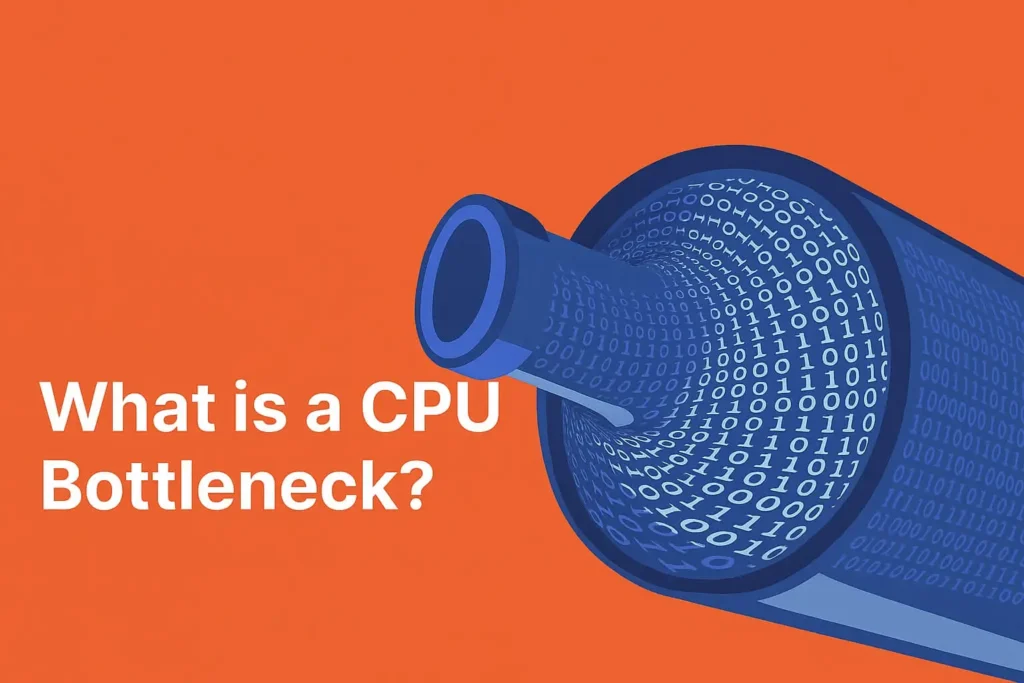
Table of Contents
How Does CPU Bottlenecking Work?
Your PC operates like a well coordinated team each part has a job, and they must all work together in sync to deliver smooth, high-performance results. When one part lags behind, the entire system slows down that’s what we call a bottleneck.
CPU and GPU Coordination
The CPU (Central Processing Unit) and GPU (Graphics Processing Unit) are the two main players in your PC’s performance.
- The CPU processes instructions and sends data to the GPU, which handles rendering and visuals.
- If your CPU can’t send data fast enough, your GPU ends up waiting, reducing frame rates and causing stuttering.
- On the other hand, if your CPU is very powerful but your GPU is weak, then your graphics performance will be the limiting factor.
This constant back-and-forth data transfer determines how smoothly your PC performs, especially during gaming or heavy workloads.
The Role of Storage Devices
Data in your system flows from storage (like your SSD or HDD) to the RAM, CPU, and GPU. If the storage is slow, everything else slows down too.
For example:
- A SATA SSD delivers speeds around 500–550 MB/s.
- A PCIe 5.0 NVMe SSD, on the other hand, can reach up to 14,000 MB/s — that’s about 25× faster.
So even if your CPU and GPU are top-tier, slow storage can cause bottlenecks when loading textures, levels, or applications.
Importance of RAM (System Memory)
RAM plays a major role in how efficiently your system handles data:
- Modern games and software require at least 16GB of RAM for smooth performance.
- For heavier tasks like content creation or streaming, 32GB or more is recommended.
- The speed (frequency) of your RAM also matters faster memory improves communication between CPU and GPU.
Running a game like Battlefield 2042 on 8GB RAM, for instance, will force your system to constantly swap data from the drive, leading to severe lag and stutter.
The Bottom Line
CPU bottlenecking happens when your processor can’t keep up with the demands of your GPU or other components.
To avoid it, you need a balanced system fast storage, sufficient RAM, and a CPU-GPU combo that complements each other. When all components work together seamlessly, your PC performs at its full potential no wasted power, no waiting cycles, and no lag.
Common Symptoms of CPU Bottlenecking
A CPU bottleneck can affect your PC’s performance in subtle and sometimes frustrating ways. If you’ve ever wondered why your games stutter or your system feels slower than it should, here are the most common signs that your CPU might be holding things back:
1. Low FPS in Games
If your games are running at unexpectedly low frame rates even when you’ve turned down the graphics settings your CPU could be the culprit. This happens when the processor can’t keep up with the GPU’s rendering speed, creating a performance imbalance. You’ll notice this especially in CPU-heavy games like GTA V, Fortnite, or Warzone.
2. High Utilization on One Component
Monitoring tools like MSI Afterburner or Task Manager can help spot bottlenecks.
If your CPU usage is consistently near 100% while your GPU sits below 70%, your processor is struggling to keep up. The reverse (GPU maxed out but CPU low) indicates a GPU bottleneck instead.
3. Long Loading Times
Even if your system seems powerful, slow load times can be a major hint. This usually happens when your PC still relies on an HDD instead of an SSD, or when your CPU struggles to process data quickly enough. Upgrading to a fast NVMe SSD can drastically reduce game and app loading times.
4. Lag During Multitasking
If your system slows down when running multiple programs at once like gaming while streaming or editing videos while browsing it could point to insufficient RAM or CPU bandwidth. A bottlenecked processor can’t handle multiple threads efficiently, leading to freezing, lag, or sluggish responsiveness.
How to Stop CPU Bottlenecking
If your PC feels sluggish, your games lag, or performance doesn’t match your hardware’s specs, you might be facing a CPU bottleneck. Fortunately, there are effective ways to detect and fix these limitations. Let’s look at the tools and strategies that can help you restore balance to your system.
Tools to Detect Bottlenecks
Before you can fix a bottleneck, you need to find out where it’s happening. Performance monitoring tools help track how each component CPU, GPU, RAM, and storage behaves in real time. These insights show whether one part is limiting the rest of your PC.
Here are some of the best tools to diagnose bottlenecks:
- MSI Afterburner – Great for monitoring CPU and GPU usage, frame rates, and temperatures while gaming.
- CPU-Z – Displays detailed information about your processor’s performance and hardware specifications.
- HWMonitor – Monitors voltages, temperatures, and utilization for every system component.
- Windows Task Manager – A simple built-in tool to check CPU and memory usage during different workloads.
By keeping an eye on these stats, you can quickly tell if your CPU is maxing out while other components sit idle — a clear sign of a bottleneck.
How to Fix Bottlenecks on Your PC
Avoiding and fixing bottlenecks comes down to building a balanced system. Every component — from the processor to the graphics card needs to complement the others. Below are some proven ways to prevent and minimize CPU bottlenecks.
1. Define Your PC’s Purpose
Start by identifying what your PC will be used for. A gaming build, video editing workstation, or office setup each demands different hardware balance. For example:
- Gaming PCs rely more on GPU power.
- Editing rigs need multi core CPUs and fast storage.
- Office setups can get by with modest specs.
By knowing your purpose, you can prioritize the right components and avoid overspending on areas that won’t improve performance.
2. Prioritize Key Components
Spend your budget where it matters most.
If your main goal is high-FPS gaming, invest more in your GPU and CPU, but don’t neglect RAM and SSD speeds. On the other hand, if you do heavy multitasking or rendering, focus on a powerful CPU with more cores and threads.
A balanced setup ensures that one part of your system doesn’t hold back the rest.
3. Upgrade in Phases
You don’t need to replace every component at once. A phased upgrade strategy helps manage your budget while improving performance over time.
Start by upgrading whichever part is currently causing the bottleneck for example, a slow CPU or an older GPU and then replace other components later to match.
This approach keeps your system running smoothly without unnecessary spending.
4. Improve Power and Cooling Efficiency
Even if your hardware is powerful, poor power delivery or inadequate cooling can create performance bottlenecks.
- Use a reliable power supply unit (PSU) that supports your system’s power demands.
- Invest in a quality cooling solution, especially if you overclock or use a high-end GPU.
- Keep your PC case well-ventilated to prevent thermal throttling, which can drastically reduce CPU performance.
Best CPU & GPU Balance Recommendations
| Resolution | Best Balanced Combo | Performance Tier |
|---|---|---|
| 1080p Gaming | Ryzen 5 5600 + RTX 3060 | Mid-Range |
| 1440p Gaming | Ryzen 7 7800X3D + RTX 4070 | High-End |
| 4K Gaming | Intel i7-14700K + RTX 4090 | Enthusiast |
Final Thoughts
CPU bottlenecking is one of the most overlooked reasons behind poor gaming performance. Understanding how it happens helps you build smarter gaming PCs, optimize performance, and save money by avoiding mismatched parts. Before you upgrade your graphics card, make sure your CPU can handle the load a balanced system always delivers the best results.
FAQs
What is a CPU bottleneck?
A CPU bottleneck happens when your processor slows down overall system performance.
Can RAM cause bottlenecking?
Yes, insufficient or slow RAM can limit your system’s speed and responsiveness.
Can overheating cause a CPU bottleneck?
Absolutely, high temperatures can throttle CPU performance and reduce efficiency.
Is bottlenecking bad for gaming?
Yes, it can lower FPS and cause stuttering during gameplay.
What’s the best way to prevent CPU bottlenecks?
Build a balanced PC where CPU, GPU, RAM, and storage work in sync.