
A Central Processing Unit (CPU) is the heart of every computer. Whether you’re a gamer, editor, developer, or everyday user, the CPU determines how fast your system works, how smoothly apps run, and how well your PC handles multitasking. But even a powerful CPU can slow down if your system components are not perfectly balanced.
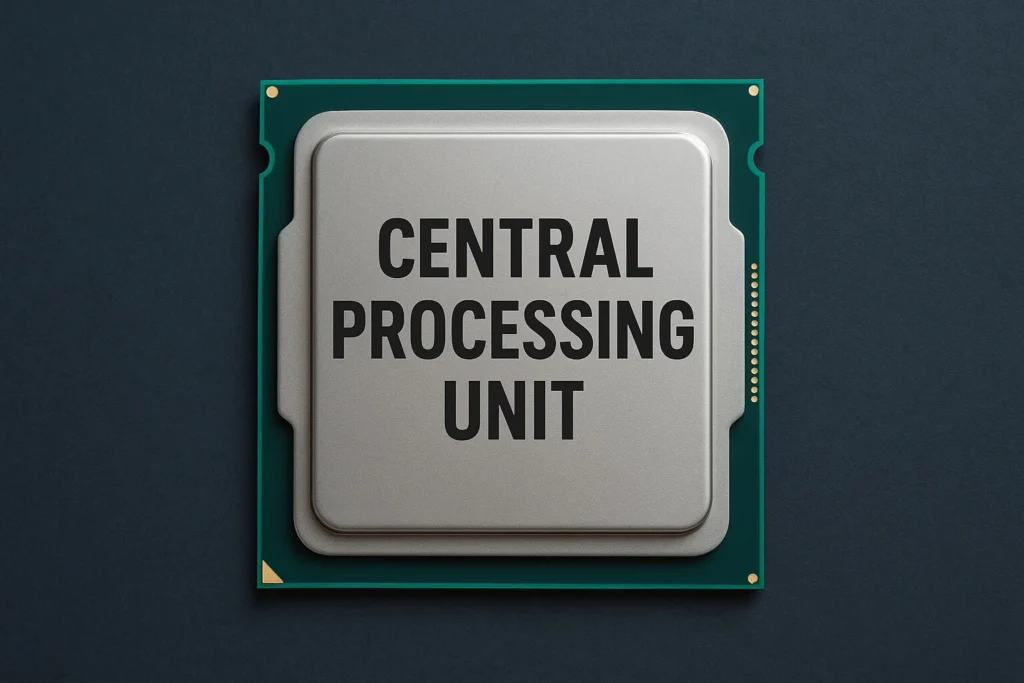
Table of Contents
Understanding the Central Processing Unit (CPU): The Brain Behind Every Computer
The Central Processing Unit (CPU) is widely known as the brain of your computer and for good reason. Every action you perform, whether it’s launching an app, playing a game, editing videos, or simply browsing the internet, relies on the CPU’s ability to process instructions quickly and efficiently. It manages data flow, performs calculations, and communicates with every other component in your system.
For gamers, creators, and professionals, understanding how your CPU works is the first step toward unlocking true system performance. In this guide, we break down the CPU’s core responsibilities, different CPU types, how performance is measured, and why smart tools like Bottleneck Calculators can help you analyze and optimize your PC setup for smoother, faster performance.
Whether you’re building a new PC or upgrading an old one, knowing your CPU’s capabilities ensures you get the best possible results from your hardware.
What Is a CPU?
The Central Processing Unit (CPU) is one of the most important parts of any computer. It works like the brain of the system, handling everything from opening apps to running games, calculations, and background tasks. Whenever your computer needs to think, decide, or process anything, the CPU is the component doing the work.
A fast and powerful CPU leads to smoother performance, quicker loading times, and better multitasking. Whether you’re gaming, editing videos, coding, or simply browsing the internet, the CPU affects every task you perform.
Key Functions of a CPU
Processing Instructions
The CPU reads commands from your apps, software, and operating system. Every action pressing a key, clicking a button, or launching a program goes through the CPU.
Arithmetic and Logical Operations
It handles all the heavy math and logical decisions, such as calculations in games, rendering in editing software, and data processing.
Controlling Data Flow
The CPU tells other components what to do. It directs data between memory, storage drives, graphics cards, and connected devices to ensure everything works together smoothly.
Multitasking
Modern CPUs have multiple cores and threads, allowing them to perform several tasks at once like running a game, Discord, Chrome, and background apps without slowing down.
Components of a CPU
A modern CPU is much more than just a single chip. It’s a collection of advanced components that work together to process data quickly and efficiently. Each part inside the CPU has a unique role that helps your computer run smoothly.
Arithmetic Logic Unit (ALU)
The ALU is the part of the CPU that handles all mathematical and logical tasks. Whether it’s simple addition or complex calculations in a game or software, the ALU processes these operations instantly.
Control Unit (CU)
The Control Unit acts like a traffic controller inside the CPU. It decides which instructions to execute, directs data to the correct components, and ensures every operation happens in the right order.
Cache Memory
Cache is a small but extremely fast memory built right into the CPU. It stores frequently used data so the processor doesn’t have to fetch it from the slower RAM every time. This greatly speeds up performance.
Registers
Registers are tiny storage locations inside the CPU used to hold data temporarily during processing. They help the CPU work at maximum speed by keeping important information close at hand.
Integrated Graphics (Optional)
Some CPUs come with built-in graphics processing units (GPUs). These integrated graphics handle basic visual tasks, allowing your system to display images and videos without needing a separate graphics card.
Types of CPU
CPUs come in several types, each designed for different needs and environments. Understanding these variations helps you choose the right processor for your device or workload.
Desktop CPU
These processors are built for everyday computers used at home or in offices. They deliver strong performance for general tasks like browsing, gaming, video editing, and productivity apps. Desktop CPUs usually offer higher speeds and better cooling compared to mobile versions.
Mobile CPU
Mobile CPUs power laptops, tablets, and other portable devices. They are optimized for energy efficiency, ensuring longer battery life while still delivering solid performance. Although not as powerful as desktop CPUs, they’re ideal for users who need performance on the go.
Server CPU
Server processors are engineered for heavy-duty tasks. They handle data center operations, cloud computing, virtualization, large-scale databases, and multiple users simultaneously. These CPUs focus on reliability, multi-core performance, and long-term stability.
Embedded CPU
Embedded processors power smaller, specialized devices like IoT gadgets, smart home products, industrial machines, and automotive electronics. They’re designed for low power usage, compact size, and consistent performance in very specific applications.
Factors Affecting CPU Performance
Several key factors influence how powerful and efficient a CPU can be:
Clock Speed
Measured in GHz, this determines how quickly the CPU can process instructions. A higher clock speed generally means faster performance, especially in single-core tasks.
Cores and Threads
Modern CPUs come with multiple cores and threads, allowing them to handle several tasks at once. More cores improve multitasking, video editing, rendering, and gaming performance.
Cache Size
Cache is high speed memory built directly into the CPU. A larger cache allows the processor to access frequently used data faster, improving overall speed in complex or repetitive tasks.
Thermal Design Power (TDP)
TDP tells you how much heat the CPU generates under load. A higher TDP usually means more performance potential, but it also requires better cooling to maintain stability.
Architecture
Newer CPU architectures come with efficiency improvements, higher speeds, better instruction handling, and optimized performance across both single core and multi core tasks.
Common Issues: CPU Bottleneck
A CPU bottleneck happens when your processor isn’t fast enough to match the performance of other components—especially a high end GPU. This imbalance forces your system to run below its full potential.
Some common signs of a CPU bottleneck include:
- Low FPS in games even though you have a powerful graphics card
- High CPU usage while your GPU sits under utilized
- Slow rendering or exporting times in editing or professional software
- Frequent stuttering or frame drops during gameplay
- Tasks taking too long to load, even with fast storage and RAM
A bottleneck doesn’t always mean your hardware is bad it simply means the system isn’t balanced. Using Bottleneck Calculators can help you identify the issue and choose the right upgrade.
Solve Bottlenecks with Bottleneck Calculators
Bottleneck Calculators is one of the most reliable tools for detecting and fixing CPU related performance issues. It quickly analyzes how well your CPU works with your GPU and other components, helping you understand whether your system is perfectly balanced or being held back.
With this tool, you can:
- Check CPU–GPU compatibility to ensure they perform efficiently together
- Measure performance ratios and identify weak links
- Plan future upgrades based on accurate system analysis
By using a Bottleneck Calculator, you can optimize your PC setup, eliminate performance slowdowns, and make sure every component runs at its full potential.
Tips to Improve CPU Performance
- Upgrade your CPU: If your processor is old or underpowered, switching to a newer model can dramatically improve speed, multitasking, and overall system performance.
- Improve your cooling system: Better airflow or a quality cooler helps prevent thermal throttling, keeping your CPU running at peak performance.
- Overclock with caution: Increasing your CPU’s clock speed can give you extra power, but always monitor temperatures and ensure proper cooling.
- Use faster RAM: High speed memory reduces data bottlenecks and allows your CPU to process tasks more efficiently.
- Maintain your system regularly: Clean dust from components, remove unnecessary apps, and keep your software updated to ensure smooth performance.
Conclusion
The Central Processing Unit (CPU) is the heart of any computer, responsible for executing calculations, managing tasks, and keeping your system running smoothly. Its performance directly impacts the efficiency and speed of your entire setup. For those aiming to maximize CPU performance and prevent bottlenecks, Bottleneck Calculators offers the perfect solution. Whether you’re upgrading your existing PC or building a new one from scratch, this tool helps ensure that every component operates at its full potential, giving you a seamless computing experience.
FAQs
What are the main differences between a CPU and a GPU?
The CPU manages general computing and executes instructions, while the GPU specializes in graphics rendering and handling tasks that can run in parallel.
How can I check if my CPU is bottlenecking my GPU?
Use Bottleneck Calculators to check your CPU and GPU compatibility and identify any potential performance bottlenecks.
Does a higher GHz mean better performance?
Not necessarily. While clock speed is important, factors like the number of cores, CPU architecture, and cache size also play a major role in overall performance.
Can I overclock my CPU safely?
Yes, but make sure your system has proper cooling and follow the manufacturer’s guidelines to prevent any damage.
- Central Processing Unit (CPU)
- CPU performance
- CPU bottleneck
- Bottleneck Calculators
- CPU upgrade
- Optimize CPU