
In the digital age, where gaming, artificial intelligence, and data processing dominate, the Graphics Processing Unit (GPU) has become a cornerstone of modern computing. Originally designed to render images and graphics, GPUs have evolved into powerful processors capable of handling complex computations across multiple industries. This article explores the GPU’s architecture, applications, and why it’s vital for today’s technology.
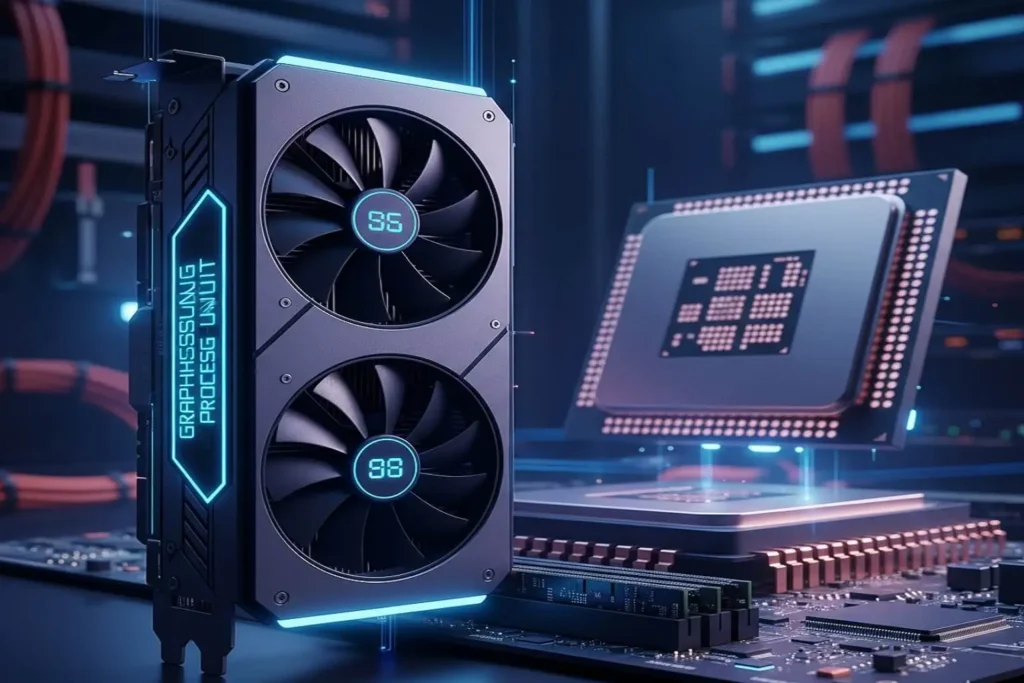
Table of Contents
Graphics Processing Unit (GPU)
In today’s world of high-performance computing, the Graphics Processing Unit (GPU) has become an indispensable component for gamers, designers, and developers alike. While the CPU (Central Processing Unit) handles general-purpose tasks, the GPU is specifically designed for parallel processing, which allows it to manage thousands of calculations simultaneously. This makes it ideal for graphics rendering, 3D modeling, AI workloads, and other computation heavy tasks.
Whether you’re building a high end gaming rig, designing intricate 3D models, editing videos, or training machine learning algorithms, choosing the right GPU can significantly impact your system’s performance. Tools like Bottleneck Calculators can help you identify potential performance limitations, ensuring that your CPU and GPU work together efficiently and that you get the most out of your hardware.
A good GPU doesn’t just improve frame rates or render times it can accelerate productivity, enhance visual experiences, and future proof your system for upcoming software and games. Understanding its architecture, memory, and processing power is key to making informed decisions when upgrading or building your setup.
What is a GPU?
A Graphics Processing Unit (GPU) is a specialized processor built to handle graphics rendering, video processing, and complex computational tasks at high speed. Unlike a CPU, which is optimized for sequential, general purpose tasks, a GPU is designed for parallel processing, meaning it can perform thousands of calculations simultaneously. This makes it a cornerstone of modern computing, especially for tasks that demand heavy computational power.
Key Uses of a GPU:
- Gaming – Delivers high frame rates, realistic textures, and immersive visual experiences.
- Video Editing – Speeds up rendering and effects processing, allowing for smoother workflow.
- AI & Machine Learning – Accelerates training of neural networks and large-scale data analysis.
- 3D Rendering – Handles complex models and simulations in architecture, animation, and design.
- Cryptocurrency Mining – Performs intensive hash calculations efficiently for blockchain networks.
Pro Tip: Choosing the right GPU for your system isn’t just about raw power. Pairing your GPU with a compatible CPU is crucial to avoid bottlenecks, where one component limits the overall performance of your system. A well-matched CPU and GPU ensure that your hardware works efficiently, giving you maximum performance for gaming, creative work, or AI applications.
Key Features of Modern GPUs ⚡
Modern GPUs are packed with advanced technologies that make them incredibly powerful for gaming, content creation, and AI workloads. Here are the features that truly define today’s graphics processors:
- Parallel Processing 🎯
GPUs are built to handle thousands of operations at the same time. This parallel architecture allows them to render graphics, process effects, and compute complex tasks much faster than CPUs. It’s the main reason GPUs dominate in gaming, AI, and 3D rendering. - VRAM (Video RAM) 💾
Every modern GPU comes with its own dedicated memory called VRAM. This memory stores textures, models, frames, and other visual data. More VRAM means smoother gameplay, better performance at higher resolutions, and faster loading of heavy graphical assets. - Ray Tracing 💡
Ray tracing is an advanced technique that simulates how light behaves in the real world. Modern GPUs use hardware-accelerated ray tracing to create lifelike shadows, reflections, and lighting effects, making visuals more cinematic and realistic. - CUDA Cores / Stream Processors ⚡
Inside every GPU are thousands of small cores CUDA cores (NVIDIA) or Stream Processors (AMD). These cores handle parallel tasks and significantly boost performance in gaming, rendering, and machine learning applications. More cores generally mean more computing power. - Overclocking Support 🔥
Many GPUs allow users to increase the clock speed beyond factory settings. This process, known as overclocking, boosts performance in games and heavy applications. With proper cooling and tuning, you can squeeze extra power out of your GPU for free.
Why the GPU Matters in Gaming and Overall Performance
A GPU isn’t just a piece of hardware for graphics it’s one of the most important components that decides how well your entire system performs. For gamers, a powerful GPU means smoother frame rates, higher resolutions, and more realistic visuals. Whether you’re exploring open-world games or playing competitive shooters, the GPU is what makes the experience fluid and enjoyable.
For professionals, the impact is even bigger. If you use software like Blender, Adobe Premiere Pro, After Effects, or DaVinci Resolve, a strong GPU can drastically cut down rendering times and make heavy workloads feel much lighter. Tasks like 3D modeling, video editing, and animation rely heavily on GPU acceleration.
But there’s one important thing to remember:
A powerful GPU won’t perform at its best if your CPU is too weak.
When a high-end GPU is paired with a low-end or outdated CPU, your system can experience a bottleneck, where the CPU slows down the GPU and prevents it from reaching its full potential. To avoid this, many users rely on Bottleneck Calculators, which help you find the ideal CPU GPU combination for balanced performance. With the right pairing, you get smoother gameplay, faster rendering, and overall better efficiency from your system.
How to Avoid GPU Bottlenecks
A GPU bottleneck can slow down your entire system, especially during gaming or heavy workloads. To make sure your GPU performs at its best, here are a few key steps you should always follow:
• Check Hardware Compatibility
Before buying a GPU, make sure it pairs well with your CPU. A low end or older processor can’t keep up with a powerful graphics card, which results in reduced performance.
• Use Bottleneck Calculators
Online tools like Bottleneck Calculators are extremely helpful. They analyze different CPU and GPU combinations and give you reliable recommendations so you can build a balanced system.
• Monitor Your VRAM Usage
High-resolution gaming especially at 1440p or 4K demands more VRAM. If your GPU runs out of VRAM, you’ll face stuttering, texture loading issues, and performance drops. Always choose a GPU with VRAM that matches your resolution and workload.
• Keep Your Drivers Updated
GPU manufacturers release driver updates regularly to improve performance, fix bugs, and optimize new games. Updating your drivers ensures you’re getting the best efficiency and stability from your graphics card.
Pro Tip: The key to top-tier performance is balance. When your CPU and GPU complement each other, your system runs smoothly without one component holding the other back.
Why BottleneckCalculatorr.net Is the Best Choice
When you’re trying to build or upgrade a PC, choosing the right CPU and GPU combination can be confusing. That’s where BottleneckCalculatorr.net truly shine they make the process simple, accurate, and stress free.
✔ Accurate Performance Analysis
The tool can predict potential bottlenecks before you spend money on new hardware. It shows you exactly how well your CPU and GPU will work together, helping you avoid mismatched components.
✔ User-Friendly Interface
You don’t need technical knowledge to use it. With just a few clicks, you can compare different CPUs, GPUs, and other system parts. Everything is displayed clearly, making it easy even for beginners.
✔ Supports the Latest Hardware
Bottleneck Calculators are updated regularly with the newest CPU and GPU models. Whether you’re checking the latest NVIDIA, AMD, or Intel components, the tool provides accurate results.
✔ Optimized Recommendations for All Users
Whether you’re a gamer seeking high FPS, a designer working on 3D models, or an AI developer training machine learning models, the tool gives tailored suggestions to help you get the best performance from your system.
How Much VRAM Do You Need in a GPU?
The amount of VRAM (Video RAM) your GPU needs depends entirely on what you’re using your system for. VRAM stores textures, frames, and other graphical data, so having the right amount ensures smooth performance and prevents lag or stuttering.
• For 1080p Gaming
If you mostly play games at Full HD (1080p), 4–6 GB of VRAM is usually enough. Most modern games run smoothly at this resolution without requiring large texture files.
• For 1440p Gaming
At higher resolution like 1440p, game textures and assets become heavier. You’ll want 6–8 GB of VRAM to maintain stable frame rates and high-quality graphics.
• For 4K Gaming or 3D Rendering
4K resolution demands significantly more memory. Heavy textures, detailed models, and larger frame buffers require 10–16 GB of VRAM. This is also ideal for professional 3D rendering workloads.
• For AI and Machine Learning
AI tasks such as training neural networks use massive datasets. To process them efficiently, you’ll need at least 12 GB of VRAM, with 16 GB or more being ideal for serious machine learning work.
Integrated Graphics vs Dedicated GPU
| Feature | Integrated Graphics | Dedicated GPU |
|---|---|---|
| Memory | Uses system RAM | Has its own VRAM |
| Performance | Low, suitable for basic tasks | High, ideal for gaming & rendering |
| Power Usage | Low power consumption | Higher power requirements |
| Price | Included with CPU (no extra cost) | Costs extra as a separate component |
Conclusion
A Graphics Processing Unit (GPU) plays a major role in today’s high-performance computing. Whether you’re gaming, editing videos, or working with AI, having the right GPU makes a huge difference. But performance doesn’t depend on the GPU alone your system only works smoothly when the CPU and GPU are properly balanced. That’s why tools like Bottleneck Calculators are so useful. They help you pick the best CPU GPU combination so your PC runs faster, smoother, and without any performance limits.
Optimize your setup today and unleash your GPU’s full potential!
FAQs
What is a GPU, and what makes it essential for modern computing?
A GPU is a specialized processor built for graphics rendering and parallel computing. It’s essential for gaming, video editing, and AI, delivering performance that a CPU alone can’t match.
How do I know if my GPU is bottlenecking my system?
A GPU bottleneck occurs when your graphics card holds back your CPU or overall system performance. Using Bottleneck Calculators helps you check your CPU GPU pairing and ensure your setup runs at its best.
Can I upgrade my GPU without upgrading my CPU?
Upgrading just the GPU can still create a CPU bottleneck, so choose carefully. Use Bottleneck Calculators to check compatibility before upgrading.
- GPU performance,
- Best GPU for gaming,
- CPU GPU bottleneck,
- VRAM requirements,
- Ray tracing GPU,
- GPU vs CPU,
- Graphics card performance,
- BottleneckCalculatorr.net,